Your purchases log themselves
The iPhone expense tracker where logging takes 3 seconds. Or none at all.
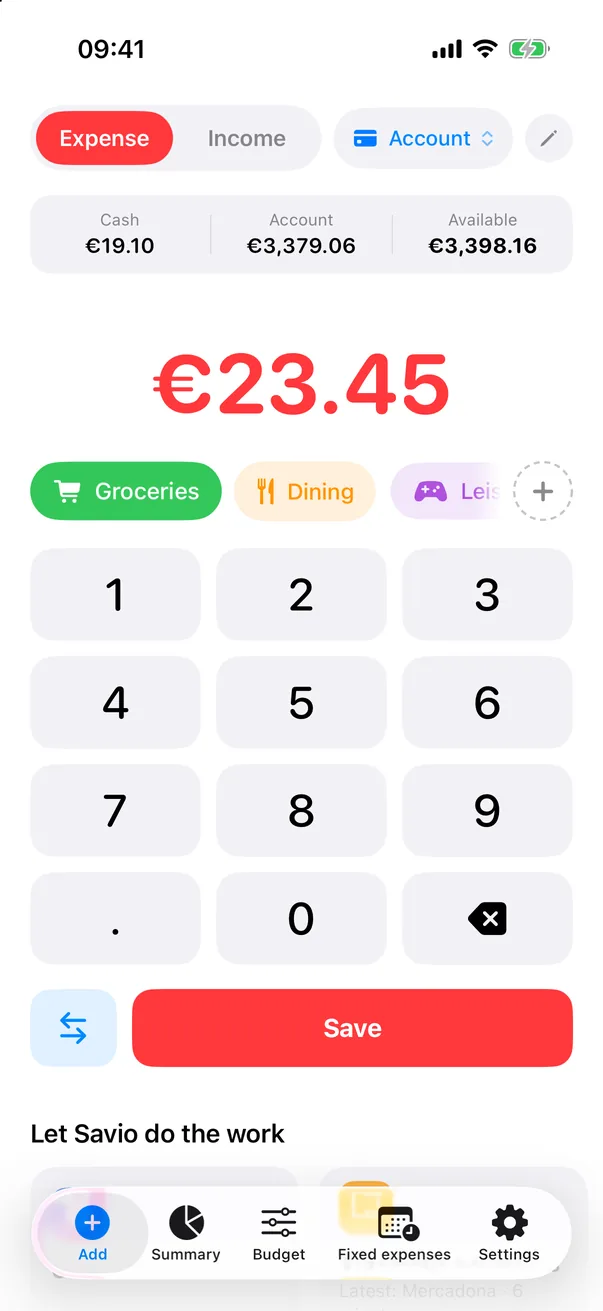
Log an expense in 3 seconds
Amount, category, done. No forms, no menus: the app opens straight to the keypad.
Cash and bank accounts kept apart, and transfers don't count as spending. Taking cash out isn't spending.
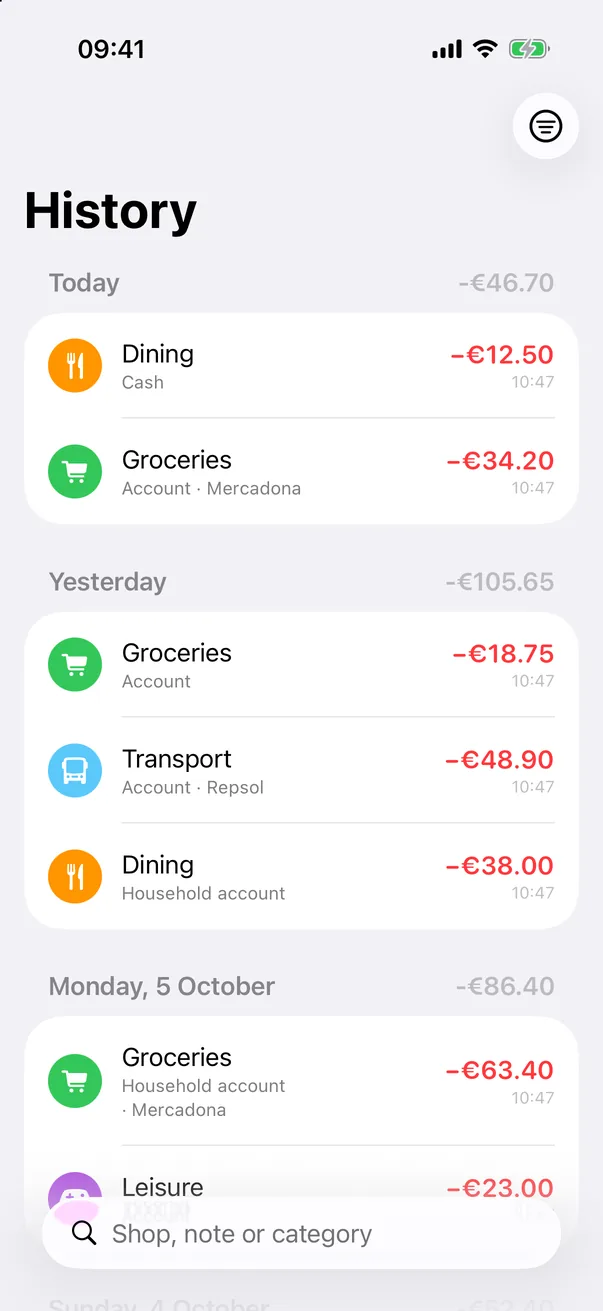
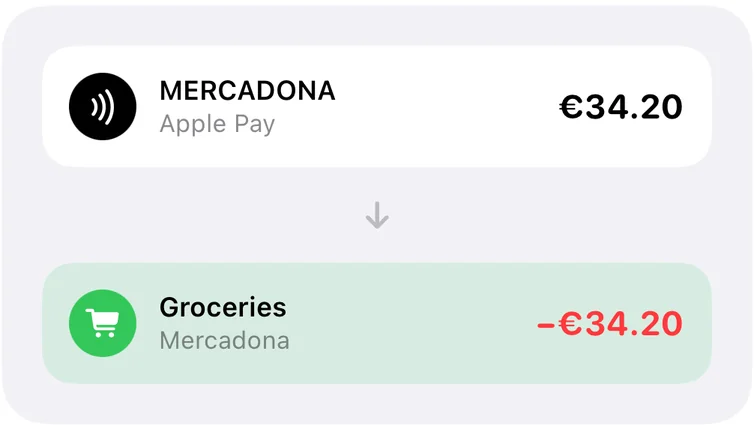
Pay with Apple Pay. It logs itself.
Every purchase lands in Savio with its amount, the shop and the category. Pay at the supermarket and it's already under “Groceries”.
Set it up once in the Shortcuts app, with a 5-step guide inside Savio, and forget about it.
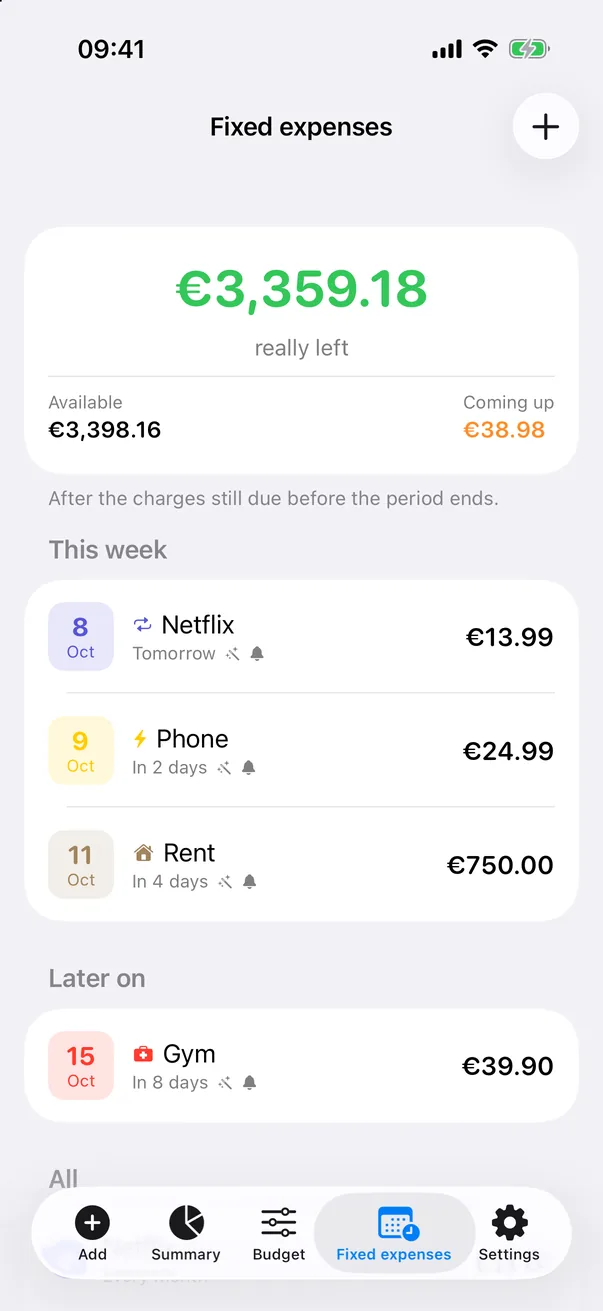
What you really have left
Add your rent, insurance or Netflix, and your salary. Savio tells you how much you can spend without eating into the bills still to come.
With Premium, bills log themselves on the day they're charged and you get a heads-up the day before.
One account for both of you
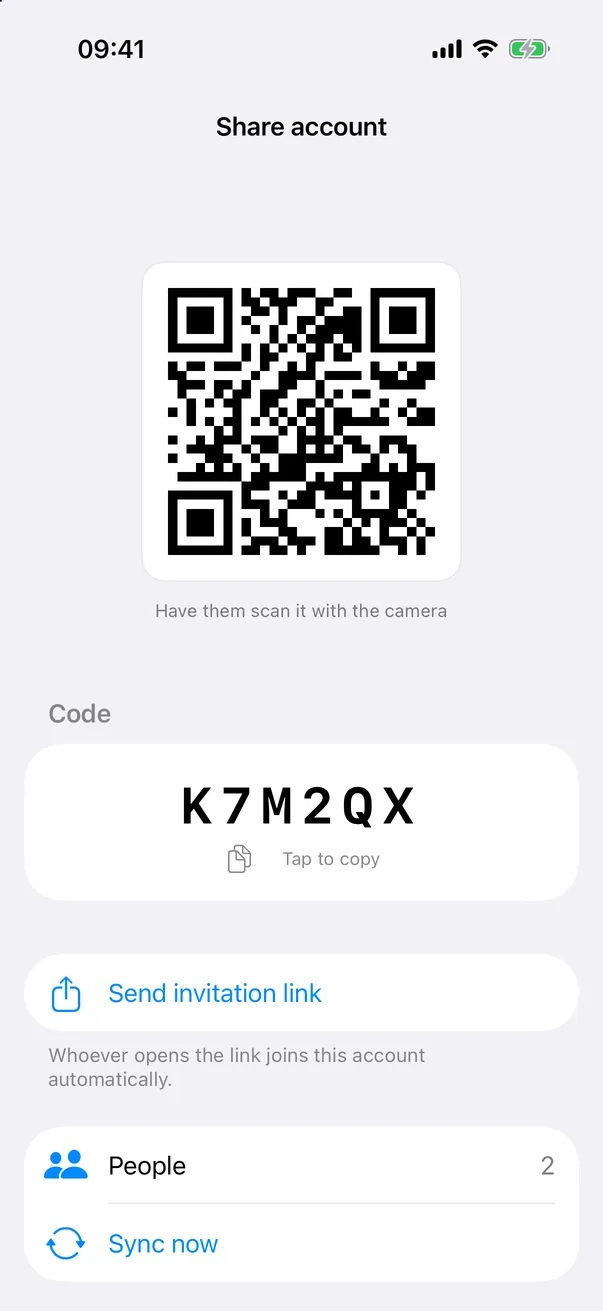
For couples or flatmates: each of you logs from your own phone and you both see the same balance.
Share it with a code, a QR or a link. No debts, no splitting: the money sits in a shared pot.
See where your money goes
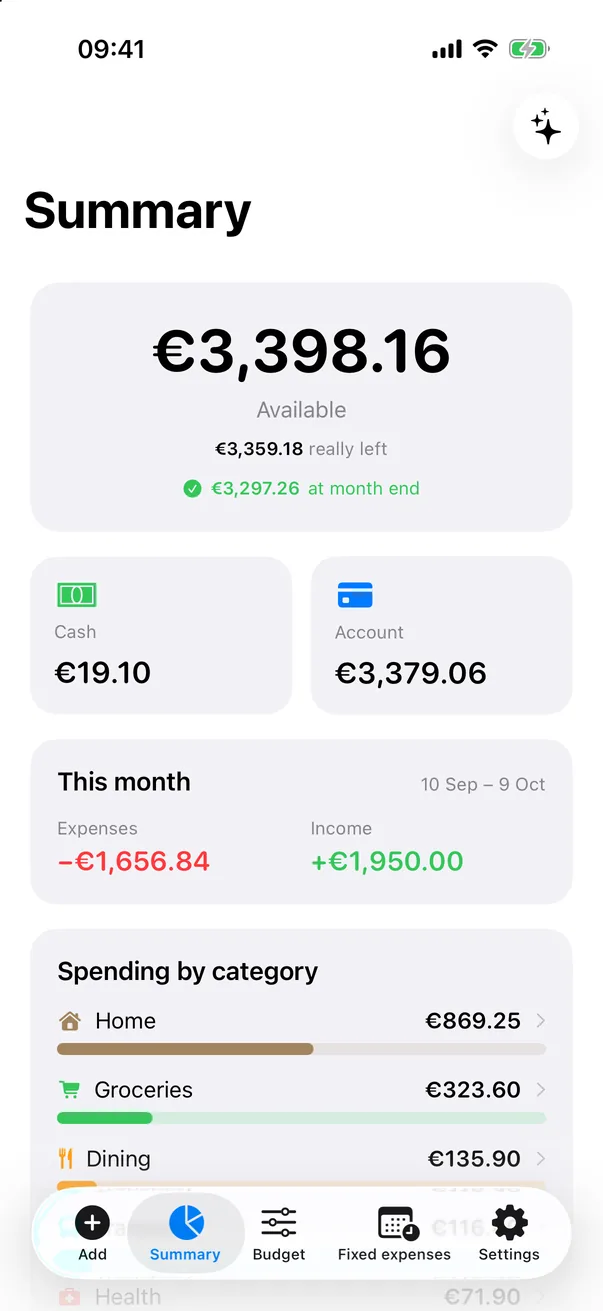
Your real balance, this month's spending by category and how it compares with last month.
Your “month” starts on payday, not on the 1st, so the numbers match your life.
Can I afford it?
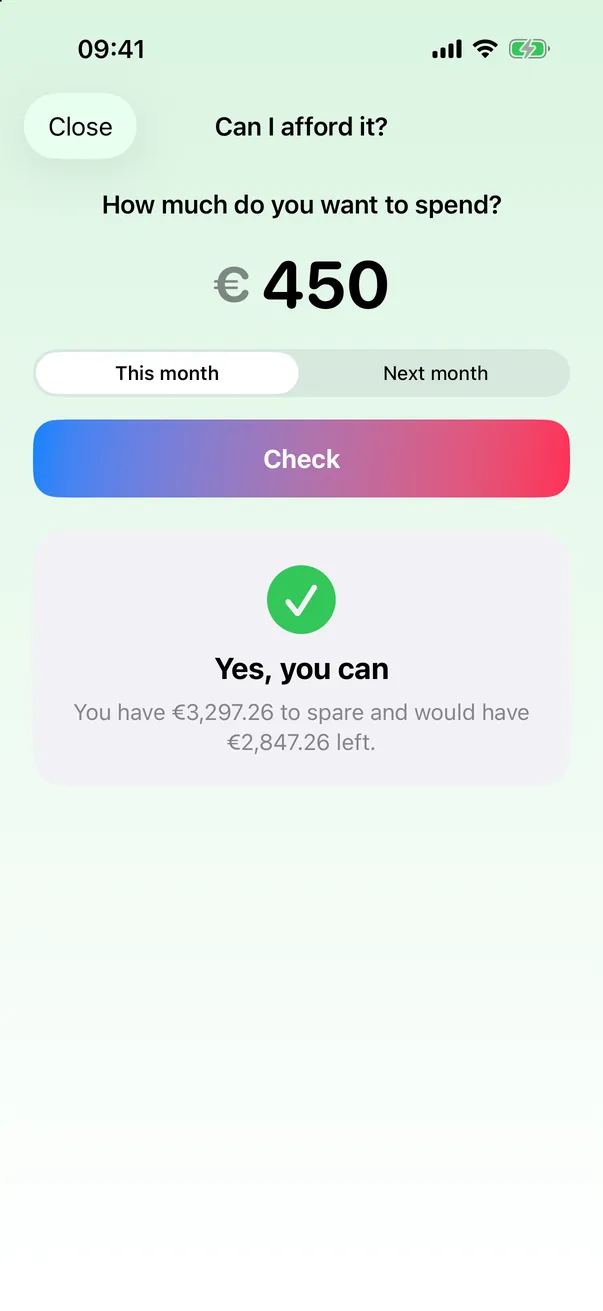
Type what the thing you want costs. Savio looks at what you have, the bills still to come and your spending pace, and gives you an answer.
If you're short, it tells you where to cut back, with real numbers.
And also
The little things that make you use it every day.
Log with Siri
“Hey Siri, log an expense in Savio”, with your phone in your pocket.
Budgets with alerts
Split it by category and Savio warns you before you overspend.
Your month, wrapped
Every month, your numbers ready to share.
Your data stays on your phone
No sign-up, no ads, no tracking.
Backups
Export everything to a file, or to CSV for your spreadsheet.
10 languages
English, Español, Català, Français, Deutsch, Nederlands, Italiano, 中文, 日本語 and العربية.
FAQ
How do Apple Pay payments log themselves?
Through an automation in Apple's Shortcuts app: every time you pay with Apple Pay, Shortcuts hands Savio the amount and the shop name, and Savio picks the category. You set it up once, in 5 steps, with the guide inside the app. Savio never sees your card or your bank.
Where is my data stored?
On your iPhone. No account needed. Only if you share an account with someone else are that account's transactions synced so both of you can see them. It's all in the privacy policy.
Does it connect to my bank?
No. Savio never asks for bank logins or access. You log expenses in 3 seconds, or they come in on their own from Apple Pay.
Can I use it with my partner?
Yes. With Savio Premium you share an account: each of you logs from your own phone and you both see the same balance. Your other accounts stay private.
How do I cancel Premium?
From your iPhone's Settings: your name → Subscriptions → Savio. If you cancel during the free week, you won't be charged.
Is there an Android version?
Not for now. Savio is built for iPhone, because Apple Pay automation, Siri and widgets only exist there.
Coming soon to the App Store
Want to try it before anyone else? Drop us a line and we'll send you the beta.